
Moving a Weekly Pipeline onto Airflow
Turning a weekly pipeline that ran on my cloud VM into a scheduled Airflow DAG, in a few days.
My team curates a database of places (stores, restaurants, gyms, etc.) that helps match job postings to the exact location where the work actually happens.
A big chunk of it came from AllThePlaces, an open-source project I’ve contributed to before that runs thousands of store-locator scrapers (“spiders”) every week. Most of those rows were loaded around 2019 and rarely touched since, while stores kept closing, opening, and moving.
Earlier this year I built an updater ETL that matches each weekly ATP run against our db and writes guarded SQL for an analyst to review. Three releases so far have added about 161K new places, updated 93K and closed 2K.
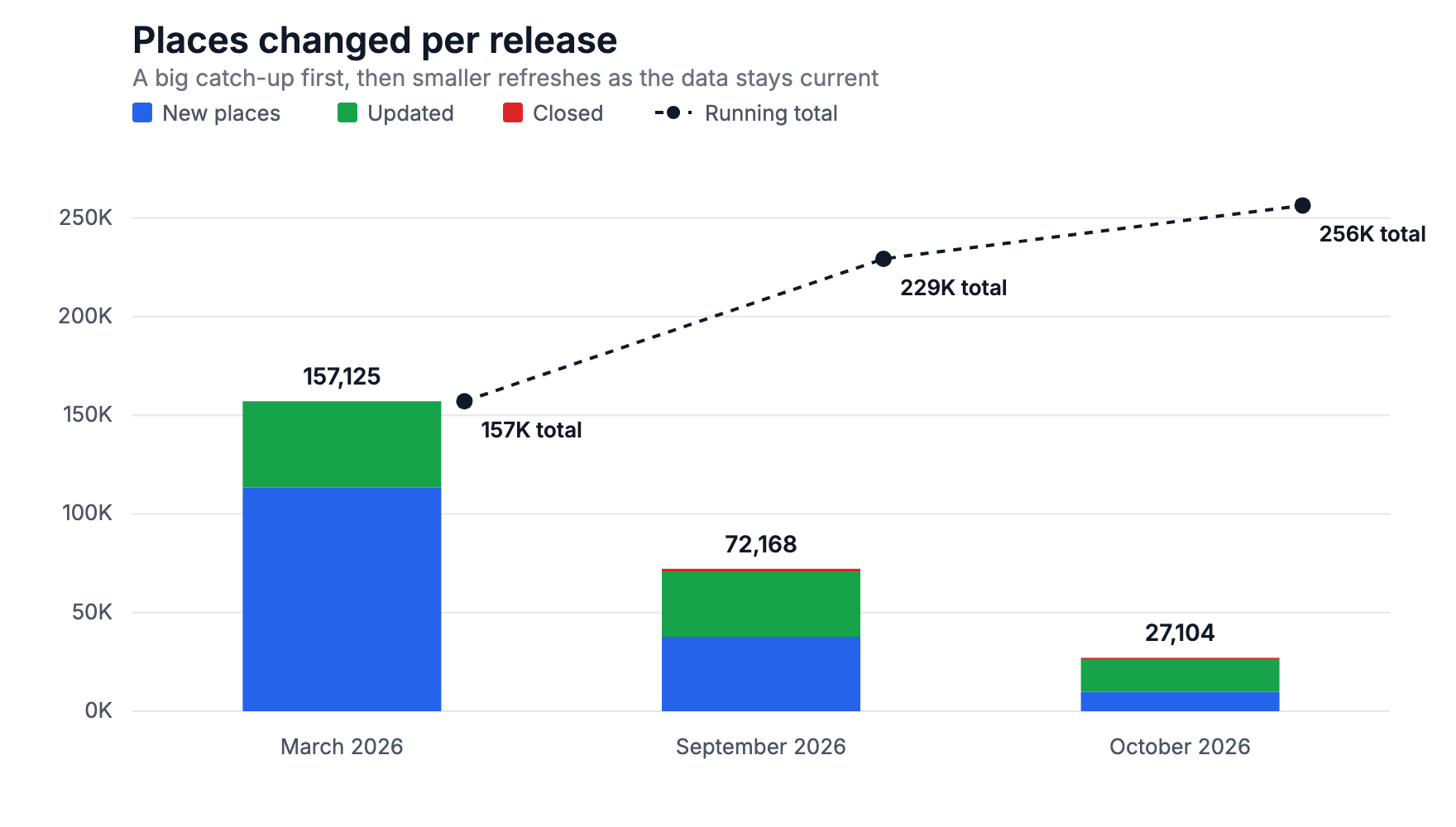 Places changed per release: a big catch-up first, then smaller refreshes
The catch: it ran manually on my cloud VM, against a local MySQL copy of the database. If I was out or didn’t have the bandwidth, it didn’t run.
So when our platform team announced Airflow was generally available (finally no more custom Airflow setups), I decided to be an early adopter. A weekly batch job that utilizes a few internal services and produces files for an analyst to review, felt like the ideal use case for Airflow.
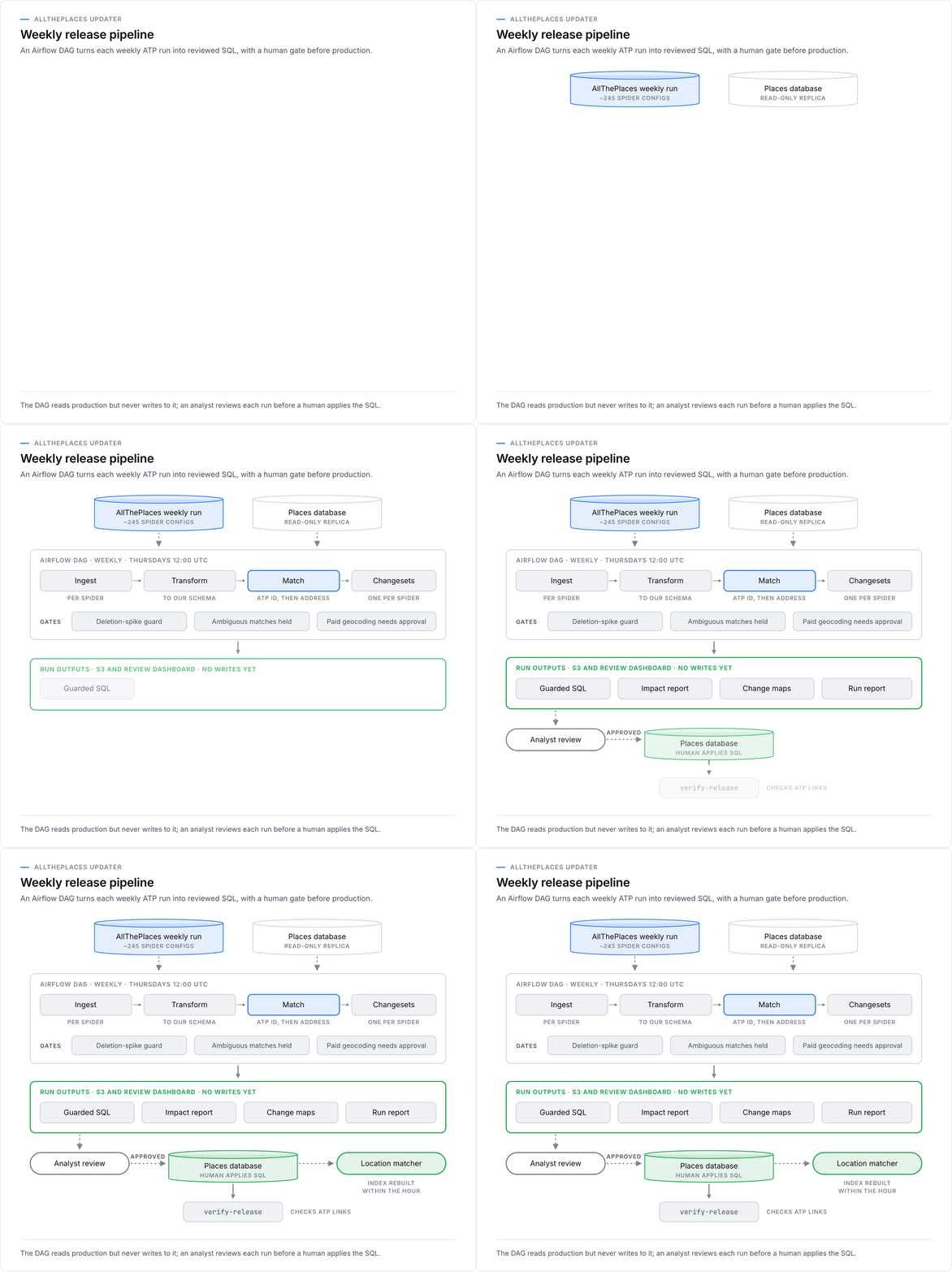 The weekly pipeline: the DAG reads production but never writes to it
The DAG itself is straightforward. Every week it downloads the latest ATP run, matches each spider’s records against a read-only replica of the database (no more local copy), and uploads the SQL, an impact report, and change maps along with a run report to S3. Nothing touches production until an analyst has reviewed the run and an actual human applies the SQL.
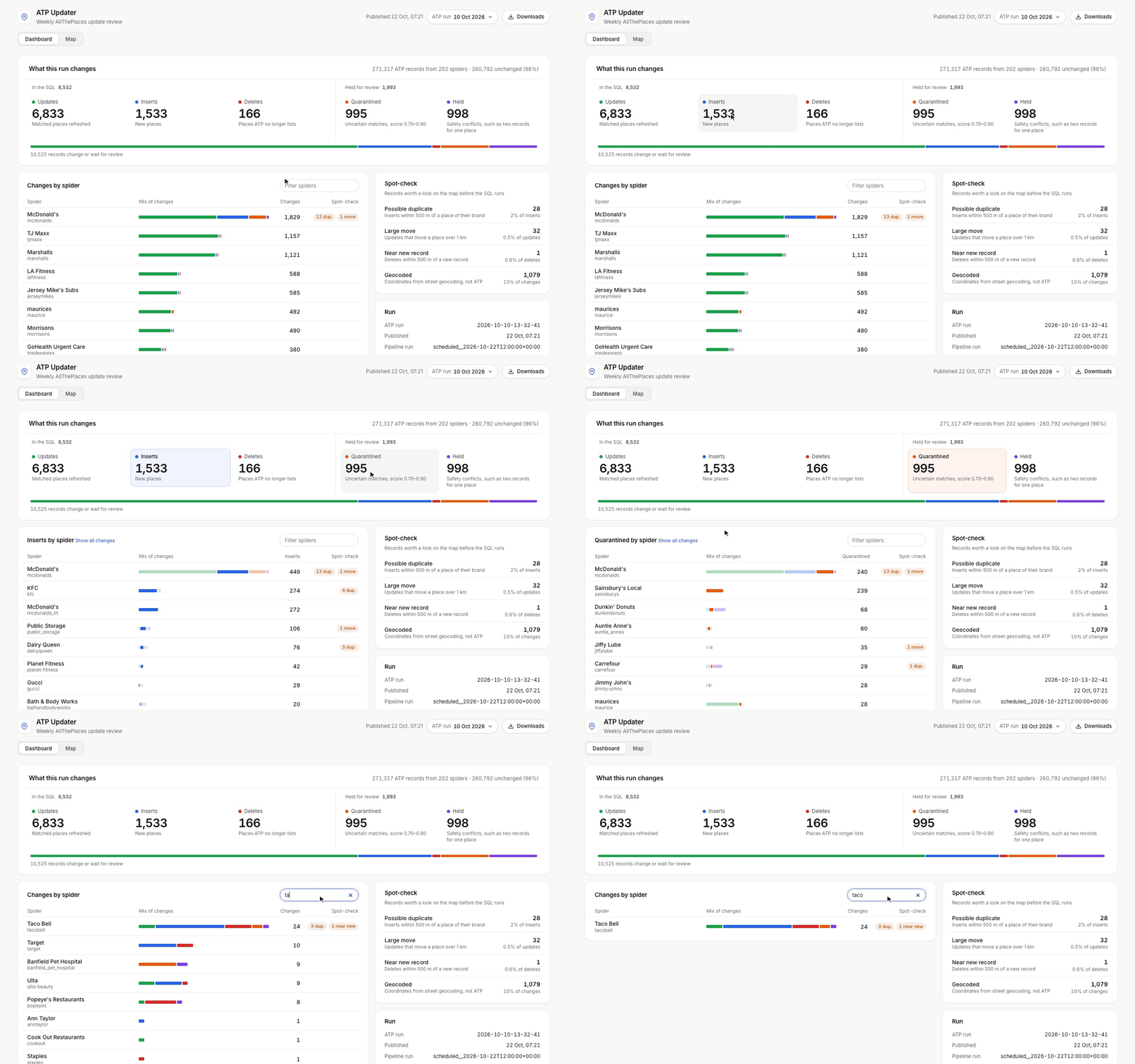 The review dashboard: what the run changes and which spiders drive it
Each run also publishes to a Posit review dashboard I made so analysts can see what the run will change, which spiders contribute to it, and which records are worth a second look on the map before any updates occur.
Rough timeline:
- Day 1: project created
- Day 2: first test run in QA, with 3 of 8 dependency checks failing
- Day 3: every check passing in production
- Weekend: Adventures in Nashville
- Day 6: first full run: about 19 minutes for 243 spiders, producing 202 SQL files with 1,533 inserts, 6,833 updates and 166 deletes (the same job took >30 minutes on my VM)
- Day 9: first scheduled run succeeded on its own, and the dashboard picked it up without a redeploy
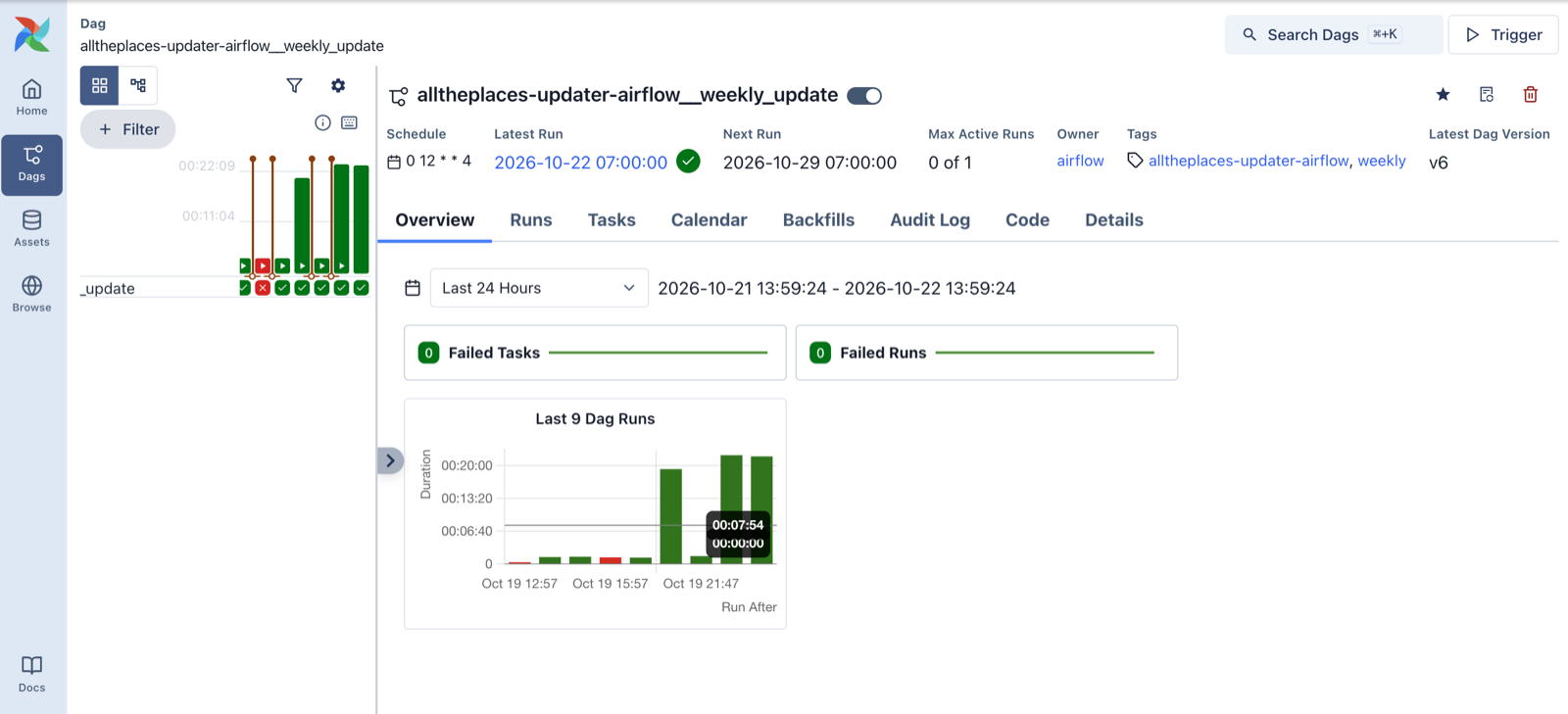 The weekly DAG in Airflow 3: a couple of red runs while I worked through the gotchas below, then green
Most of that week went into gotchas given I was one of the first to fully adopt Airflow. A few things I learned along the way:
- Build a dependency-check DAG first. One manually triggered task that checks every secret, database, internal service and bucket, each under its own timeout, and fails with a report listing every blocker instead of the first one. I liked it enough that it stayed as a permanent
dependency_checkDAG for if/when something breaks later. - Bring your own cloud role. The pod’s default role is shared with Airflow’s own log uploads, so overwriting it could have broken logging. A dedicated role that the task assumes explicitly kept the two apart.
- Only
/tmpis writable, and disk is small by default. The first production run failed writing to a read-only home directory. A later run finished all its work and was then evicted, because the 2.8 GB ATP download counted against a 1 GiB ephemeral-storage limit. Setting the task’s own resources fixed it, but that also drops the defaults, so set CPU and memory too. - Set
start_dateclose to today. Even withcatchup=False, unpausing a DAG runs the most recent slot it missed. - Pin only what you add to the base image. The image ships Python 3.13 and my libraries asked for 3.14, and pip was happy to downgrade a few base packages to make things fit.
Getting Airflow setup was a fun challenge. The best part was clearing the future hurdles I know other teams would have encountered and the workflow itself doesn’t live in my head anymore (or on my VM). Anyone on the team can see the run history, read the logs and rerun it, and the gotchas are all written up so the next team has a paved path.
Built with Apache Airflow 3 on Kubernetes, Python, S3, and Posit.