
Engineering challenges of integrating Claude into a production Streamlit app.
Background
In my previous post, I wrote about teaching AI to review regression reports. That effort used Amp directly via conversation threads.
The next step was integrating that capability into LocDB Tools — a Streamlit app I’ve been building for my team to boost our efficiency and work quality.
The goal: analysts upload a regression report CSV, click a button, and get an AI-generated dashboard like summary of the most impactful changes.
Along the way I encountered a few challenges.
The Data Size Problem
I initially prototyped this using the Amp SDK, which spawns a CLI subprocess and pipes prompts through stdin. Simple enough—until your prompt is 600KB.
Analysis failed: Amp SDK error: Separator is not found, and chunk exceed the limit
Unix stdin has buffer limits (~64KB). Our regression reports regularly exceed that. The raw CSV alone was ~600KB before adding any prompt instructions.
This prompted me to rethink the SDK approach.
The Solution: Hybrid Aggregation
Instead of sending raw CSV data to the AI agent, I pre-process it in Python:
CSV File (600KB, ~150K tokens)
         ↓
Python Aggregation (regression_aggregator.py)
         ↓
Aggregated JSON (25KB, ~9K tokens)
         ↓
Claude API (36KB prompt)
         ↓
HTML Report (22KB)
The aggregation preserves what matters:
- Summary statistics
- Anomalies (Country=NONE, cross-country misplacements)
- Type transitions with occurrence counts
- Sample rows for each pattern
- High-impact changes ranked by query volume
23x compression while distilling the key analysis details.
From Amp SDK to Bedrock
The Amp SDK worked locally, but hit a wall in the hosted app: it requires the amp CLI binary installed via npm, which can’t run on a Posit Connect deployment (I like Posit because it simplifies deployment).
The fix was switching to Claude (Sonnet 4) via Bedrock — a pure HTTP-based approach:
| Aspect | Amp SDK | Bedrock |
|---|---|---|
| Dependency | amp CLI binary (npm) | requests library (pip) |
| Communication | subprocess stdin/stdout | HTTP POST |
| Posit Compatible | ❌ | ✅ |
| Model | Amp’s default (Opus 4.5) | Claude Sonnet 4 |
The new implementation is straightforward:
BEDROCK_ENDPOINT = "https://bedrock.example.com/converse"
MODEL_ID = "us.anthropic.claude-sonnet-4-20250514-v1:0"

payload = {
    "modelId": MODEL_ID,
    "messages": [{"role": "user", "content": [{"text": prompt}]}],
    "inferenceConfig": {"maxTokens": 16384, "temperature": 0.1}
}
The other advantage to the Bedrock approach is that I can pin to a specific model vs Amp which frequently changes it’s default model.
Streaming Progress UI
Claude takes anywhere from 30-60 seconds to complete its work. To let analysts know it’s working, I added real-time progress updates:
[0.0s] 📊 Preparing data for analysis... — Processing 601,578 bytes of CSV data
[4.4s] 📈 Data aggregated successfully — Reduced to 25,631 bytes (23x compression)
[4.5s] 🚀 Sending to Claude for analysis... — Prompt size: 36,725 bytes
[8.2s] 📝 Starting HTML generation... — 245 chars
[22.1s] 🌍 Analyzing countries... — 18,500 chars
[50.2s] ✅ Report complete!
The streaming generator yields ProgressUpdate objects as the analysis progresses. Threading bridges the HTTP call with Streamlit:
@dataclass
class ProgressUpdate:
    stage: str       # 'aggregating', 'connecting', 'thinking', 'generating', 'done'
    message: str     # User-friendly message
    detail: str      # Technical detail
    progress_pct: int
    elapsed_seconds: float
A nice addition to let users know the app hasn’t crashed and gives them insight into what Claude is doing.
Results
| Task | Before | After |
|---|---|---|
| Regression report review | ~8 hours | Seconds + targeted review |
For regression reports alone, at 2-3 per week, we’re looking at 400-900 hours per year saved on initial triage.
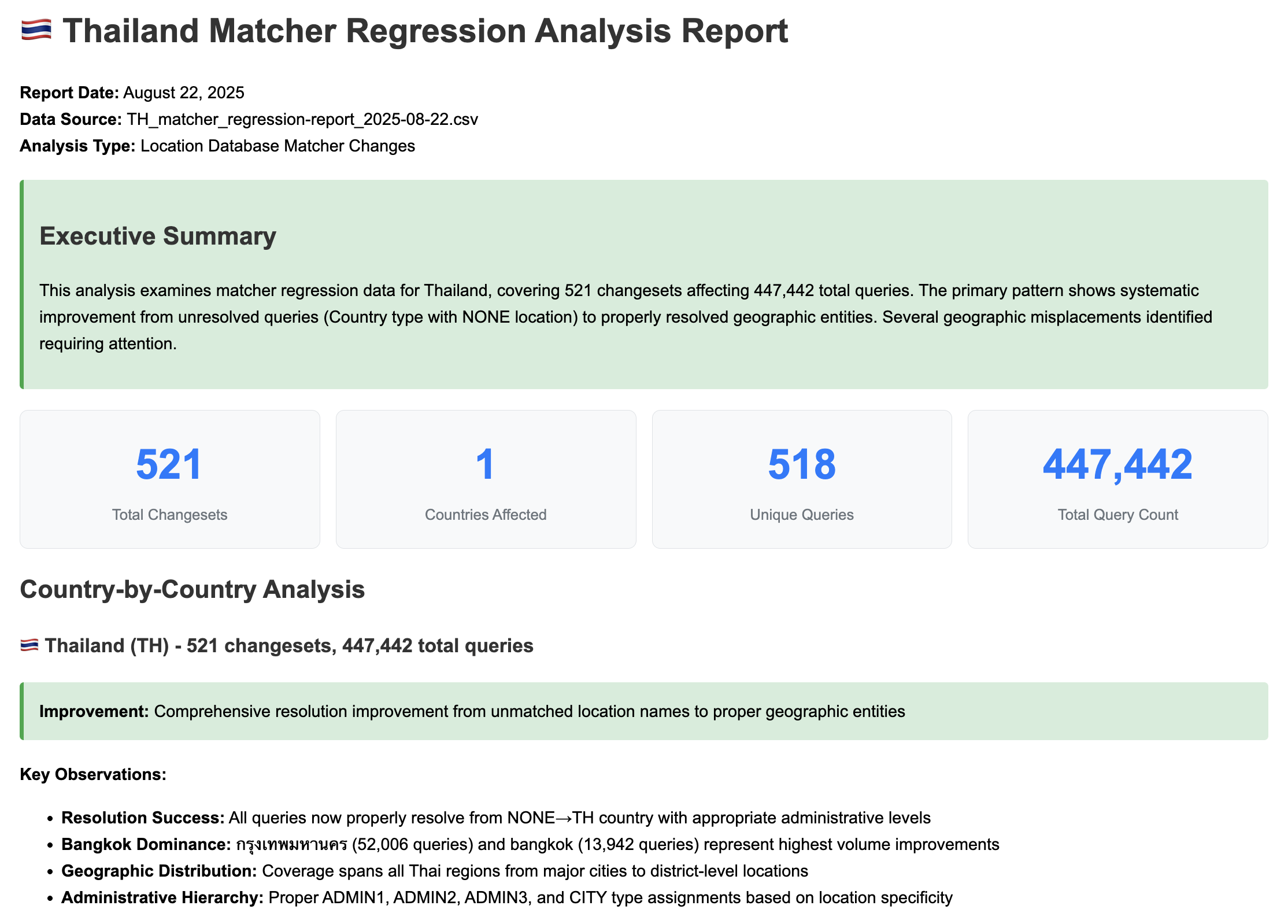 AI-generated regression report summary
What’s Next
In the next post, I cover the development process itself — how I built these tools using AI agents as my primary development partner.